

Blind Reader
Navigate without getting lost
Blind Reader is an accessibility assistant that works on WordPress, PrestaShop and any website regardless of the technology it was built with. It is installed on the client’s website and adds an intelligent narrator panel that appears before the main content of each page, providing contextual narration, voice control in eight languages and compatibility with NVDA, JAWS, VoiceOver and TalkBack.
It is designed for blind people and those with visual impairments who need more direct additional guidance to interact with a website, as it enhances and improves the capabilities of screen readers.
It is especially helpful when a need must be resolved quickly: contacting, finding a service, reading an article or filling out a form.
Blind Reader analyses the HTML code of each page locally, without external artificial intelligence and without sending any data to third-party servers. A real accessibility layer, non-intrusive and respectful of the assistive technologies each person already uses.
Unlike the overlays present on the market, Blind Reader does not interfere with the user’s screen reader. It works alongside it, not against it. More than 800 accessibility professionals have signed the “Overlay Fact Sheet” rejecting those plugins. Blind Reader does the opposite: it adapts to the screen reader the user already uses.
What Blind Reader offers
- Intent summary (what this page is and what its purpose is).
- Voice control in 8 languages: “go to contact”, “next”, “purpose”…
- Visual tools: text size, dyslexia‑friendly font, high contrast, dark mode.
- Progressive guidance (step‑by‑step through sections).
- Goal‑based navigation (Home / About / News / Contact, etc.).
- Jump to the main objective (form, listing, or contact).
- Accessible skip link (WCAG 2.4.1): Tab key to jump to content.
- Real‑time form error announcements (CF7, Gravity Forms, WPForms…).
- Compatible with NVDA, JAWS, VoiceOver, and TalkBack.
How to use it
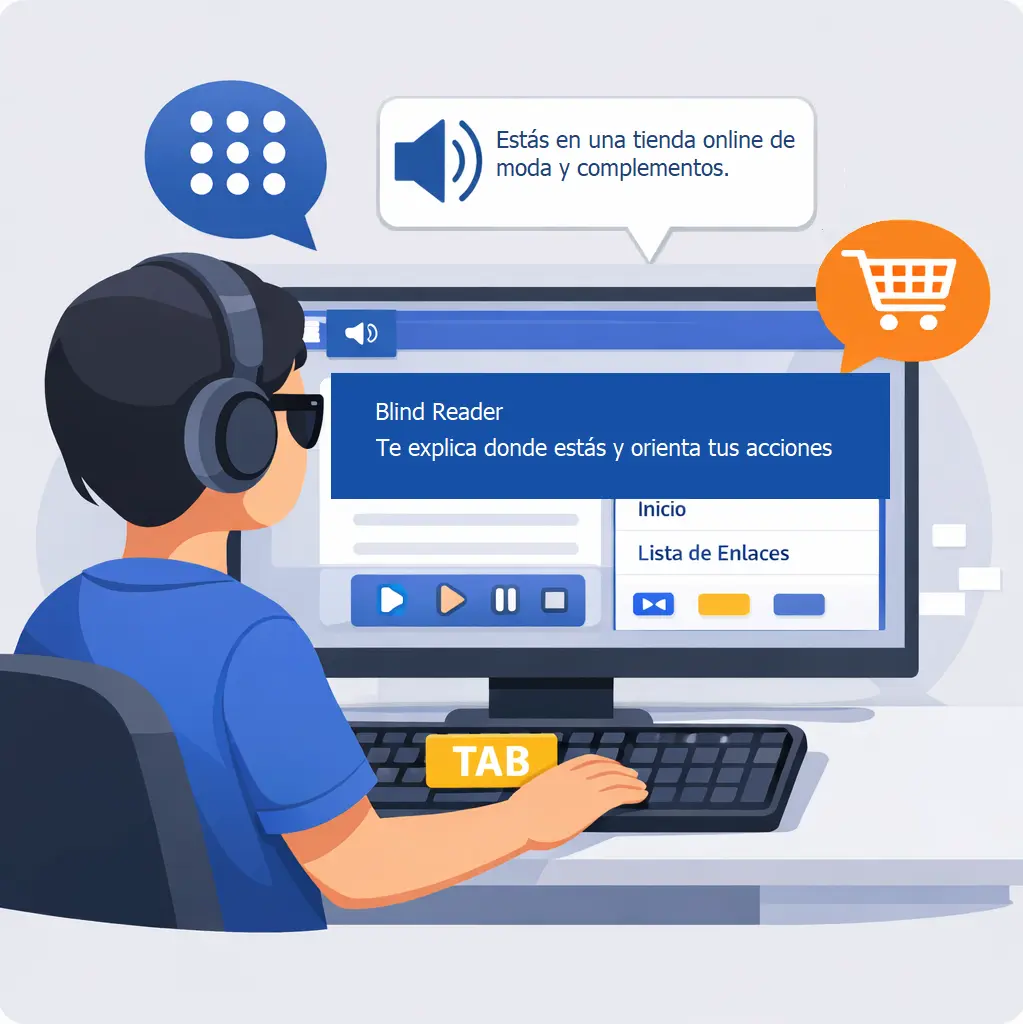
On desktop (keyboard): tab through the menu and the narrator button will appear so you can open it. It is placed after the menu to respect the natural reading order.
On mobile (with the screen reader you have enabled, such as VoiceOver for iOS / TalkBack for Android): an accessible launcher appears to open the panel and view/use the features.
- Blind Reader does not change your content: it adds anchors and an orientation panel.
- It works with visual themes (including Divi, Elementor, WPBakery…) and with keyboard navigation.
- If a page is poorly structured (no headings, no landmarks), the narrator will have fewer cues to guide the user.
Who does it help?
Blind Reader is designed for blind users and people with visual disabilities who need more direct, guided orientation to interact with a website, as it enhances and strengthens the capabilities of screen readers.
It is especially helpful when someone needs to complete a task quickly: contacting a business, finding a service, reading a news article, or filling out a form.
Immediate orientation
Explains the page’s objective and suggests the most useful next step. Voice control included: navigate with your voice in 8 languages.
Safe shortcuts
Jumps to key areas: form, listing, contact, sections, and goals. Say “go to [name]” to navigate with your voice.
Control and confidence
Does not alter the content. Visual tools: text size, dyslexia, contrast, dark mode. Does not close accidentally on mobile (WCAG 2.5.4).
Main features
Intent summary
It tells you what the page is (home, contact, news article, listing…) and what the main objective appears to be.
- Clear explanation of the purpose
- Indicative confidence level
- No literal reading of the content
Recommended actions
Shortcuts to what matters: contact, book, view prices, read the article, return to the blog…
- Quick actions (when enabled)
- Alternatives when multiple paths exist
- Keyboard‑ and screen‑reader‑friendly
Progressive guidance
It guides you through important sections, one by one, with forward controls.
- Start / Next / Stop
- “Go to current section” link
- aria-live announcements
Goal‑based navigation
Navigate through key goals (Home, About, News, Contact) and contextual blog objectives.
- Configurable confirmation mode
- Learning per site or per page
- Reset of learned goals
Blind Reader
An accessibility assistant that integrates with any technology – WordPress, PrestaShop, or custom‑built sites – and provides contextual narration, voice control in eight languages, and compatibility with NVDA, JAWS, VoiceOver, and TalkBack.
Basic
€49/month
Up to 20 pages
Main features
Basic narrator (page summary)
Languages (auto‑detection)
Progressive guidance
Basic goals
Keyboard shortcuts (Alt+N, Alt+G…)
Page builders (Divi, Elementor…)
Article reading mode
Form summaries
Visual tools (font, contrast, dark mode, dyslexia…)
Premium
€89/month
Up to 50 pages
Voice control
(form dictation with Alt+V + visual voice commands)
Enterprise
From €290/month
More than 50 pages
Adds on top of the Premium plan
Multisite
Admin analytics
Per‑page configuration
White label
Priority support
Basic
€539/year
Up to 20 pages
Basic narrator (page summary)
Languages (auto‑detection)
Progressive guidance
Basic goals
Keyboard shortcuts (Alt+N, Alt+G…)
Page builders (Divi, Elementor…)
Article reading mode
Form summaries
Visual tools (font, contrast, dark mode, dyslexia…)
Premium
€979/year
Up to 50 pages
Voice control
(form dictation with Alt+V + visual voice commands)
Enterprise
Contact us
From 50 pages
Adds on top of the Premium plan
Multisite
Admin analytics
Per‑page configuration
White label
Priority support
Try it free for 15 days
Your website accessible, without discrimination and without losing potential customers.
Get your free trial
Try Blind Reader free for 15 days
Fill in the form and you will receive the plugin and your trial license by email instantly.
*Información básica sobre el tratamiento de datos personales conforme al RGPD (UE) 2016/679 y a la LOPDGDD 3/2018. Responsable: IMAT COMUNICACIÓN, S.L. Finalidad: Atender las solicitudes de información recibidas. Enviar comunicaciones comerciales electrónicas. Legitimación: Consentimiento del interesado. Destinatarios: No se cederán datos a terceros, salvo obligación legal. Derechos: Tiene derecho a acceder, rectificar y suprimir sus datos, así como otros derechos, indicados en la información adicional, que puede ejercer dirigiéndose a la dirección del responsable del tratamiento proyectos@adaptatuweb.com. Información adicional: Puede consultar la información adicional y detallada sobre Protección de Datos en las cláusulas anexas que se encuentran en https://adaptatuweb.com/politica-de-privacidad.
Your license is ready!
We have sent you the plugin and instructions by email. A member of our team will contact you soon.
This license is valid for 15 days on your domain.
Frequently asked questions
Does Blind Reader replace the screen reader?
No. It’s an orientation layer. Your screen reader remains the main tool.
Why does the button appear after the menu
Can the open/closed reminder be disabled?
Does it work on news (blog) and posts
Empieza con Blind Reader
Basic mensualResponsable: IMAT COMUNICACIÓN, S.L. Finalidad: Tramitar su pedido. Legitimación: Ejecución de un contrato. Más info en política de privacidad.
Pago seguro con Stripe. Términos y condiciones.